How AI Grid works?
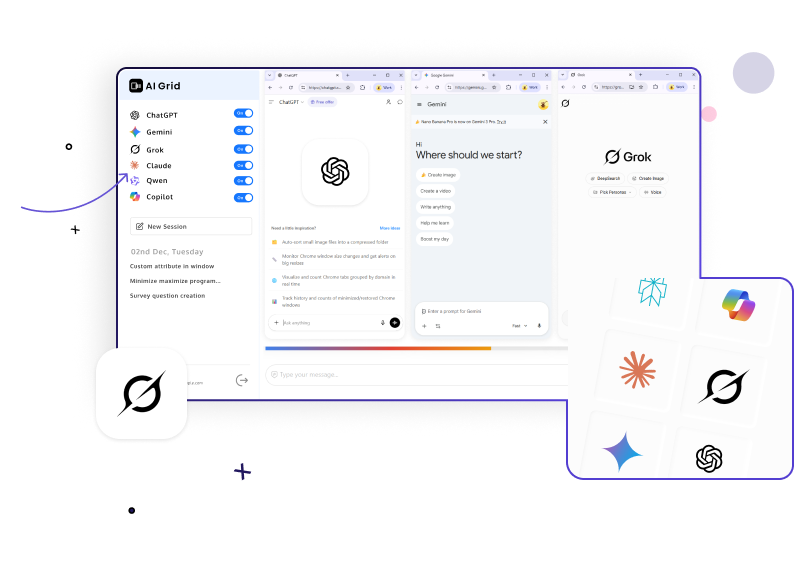
Stop switching tabs. AI Grid brings the world’s most powerful AI models together into one unified interface, allowing you to search and compare results side-by-side instantly.
Step 1
Install the AI Grid Chrome Extension from the Webstore.
Step 2
After installation, you’ll see the login popup.
Sign in with Google, Click it → AI Grid opens in a single tab or window.
Step 3
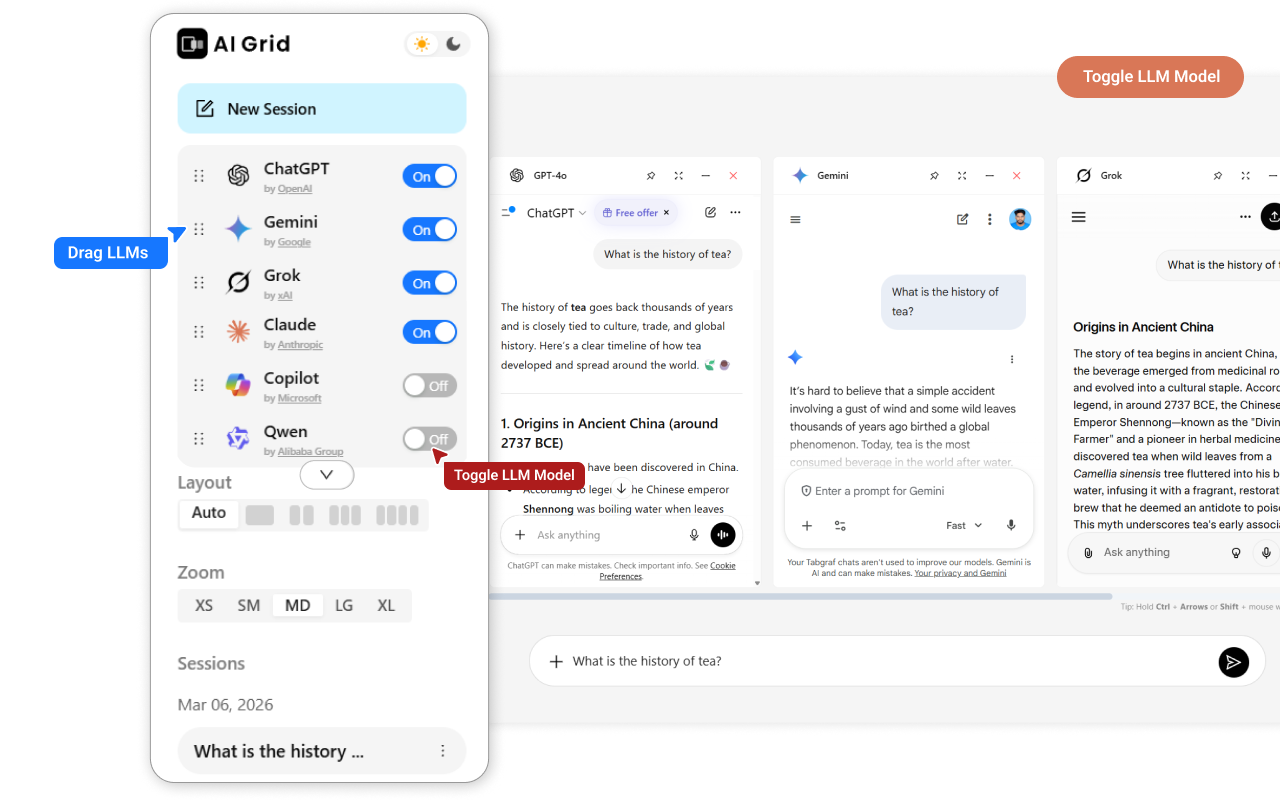
Toggle on your preferred models (ChatGPT, Gemini, Claude, etc.) from the sidebar.
Step 4
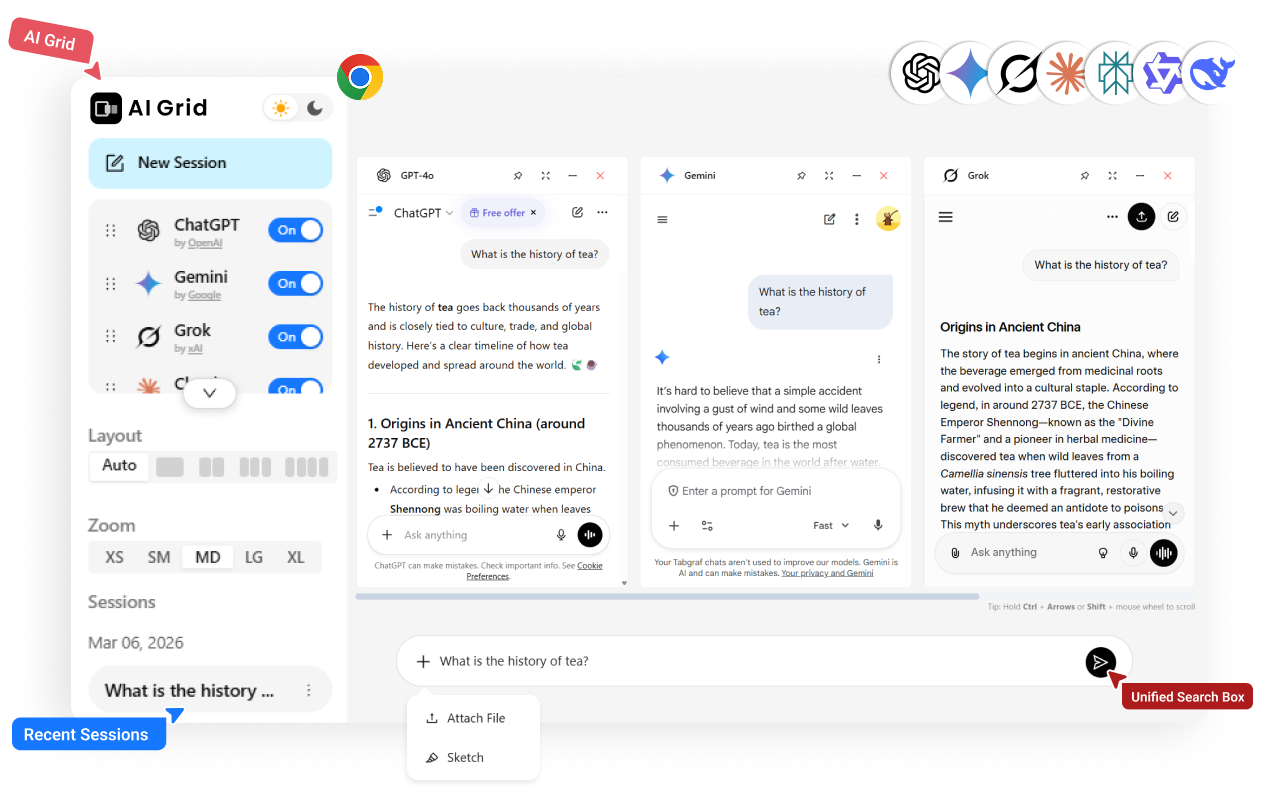
Type your prompt once in the Unified Search Box and watch every AI respond in real-time.
Multi-AI Side-by-Side Chat
Compare responses from ChatGPT (GPT-4o), Gemini 1.5, Grok-2, and Claude simultaneously. Each model operates in its own dedicated panel, making it easy to spot the most accurate or creative answer without flicking through browser tabs.
AI Model Toggle & Management
Take full control of your workspace. The left sidebar features an ON/OFF toggle for every major LLM. Dynamically enable only the models you need for your current task to save resources and reduce clutter.
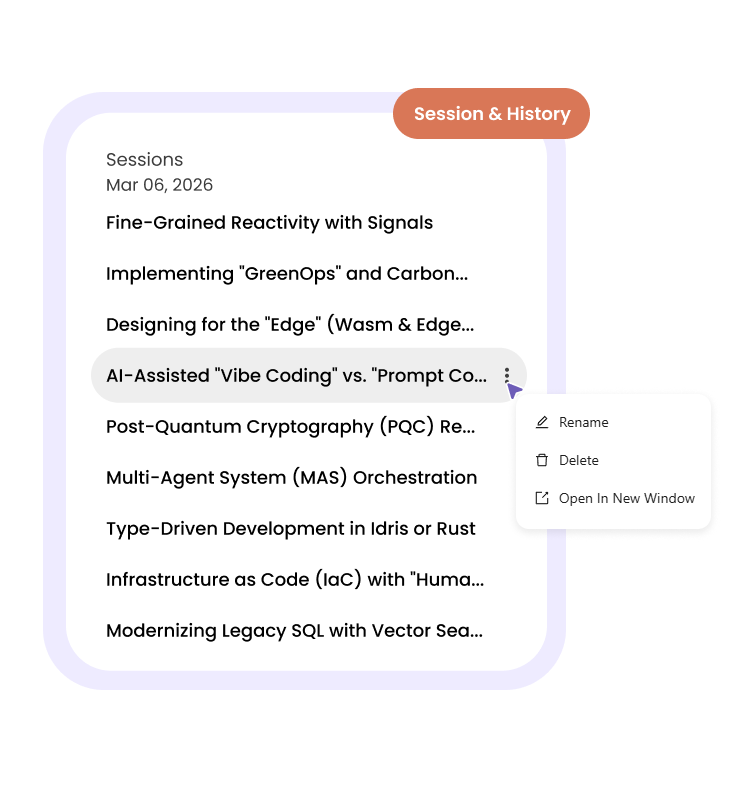
Unified Session & History System
Never lose track of a breakthrough. AI Grid runs a single session across all enabled models. Your chat history is organized by date and session (e.g., Dec 2nd, Tuesday: Custom attribute in window), allowing you to resume multi-model conversations exactly where you left off.
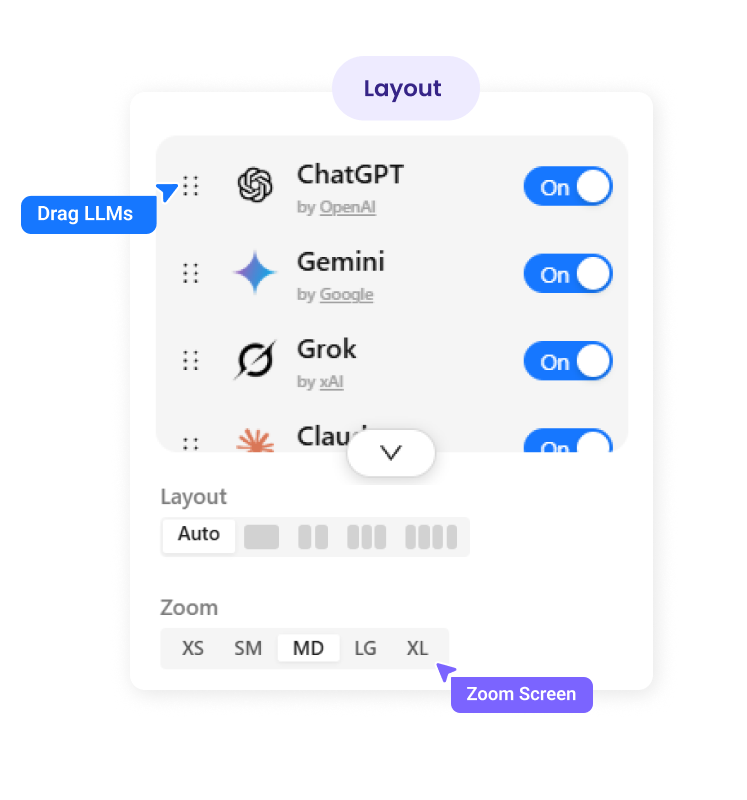
Customizable Productivity UI
Tailor the interface to your screen size. With resizable panels and grid/column layout options, you can focus on one model or monitor five at once. Use the minimize/maximize controls to manage your digital real estate effectively.
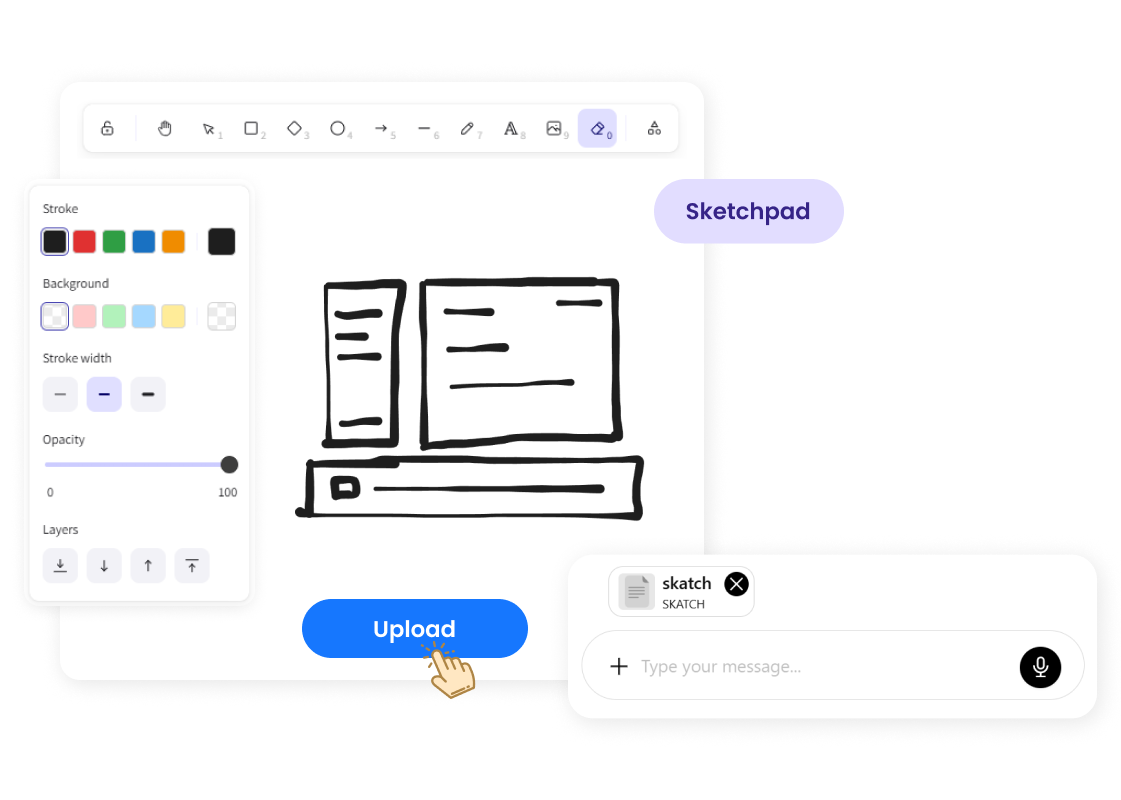
Sketch Pad Search & Reference
Visual thinkers rejoice. The integrated Sketchpad allows you to draw or take notes that act as a visual reference. Use your sketches to refine prompts or provide context for visual-heavy tasks.
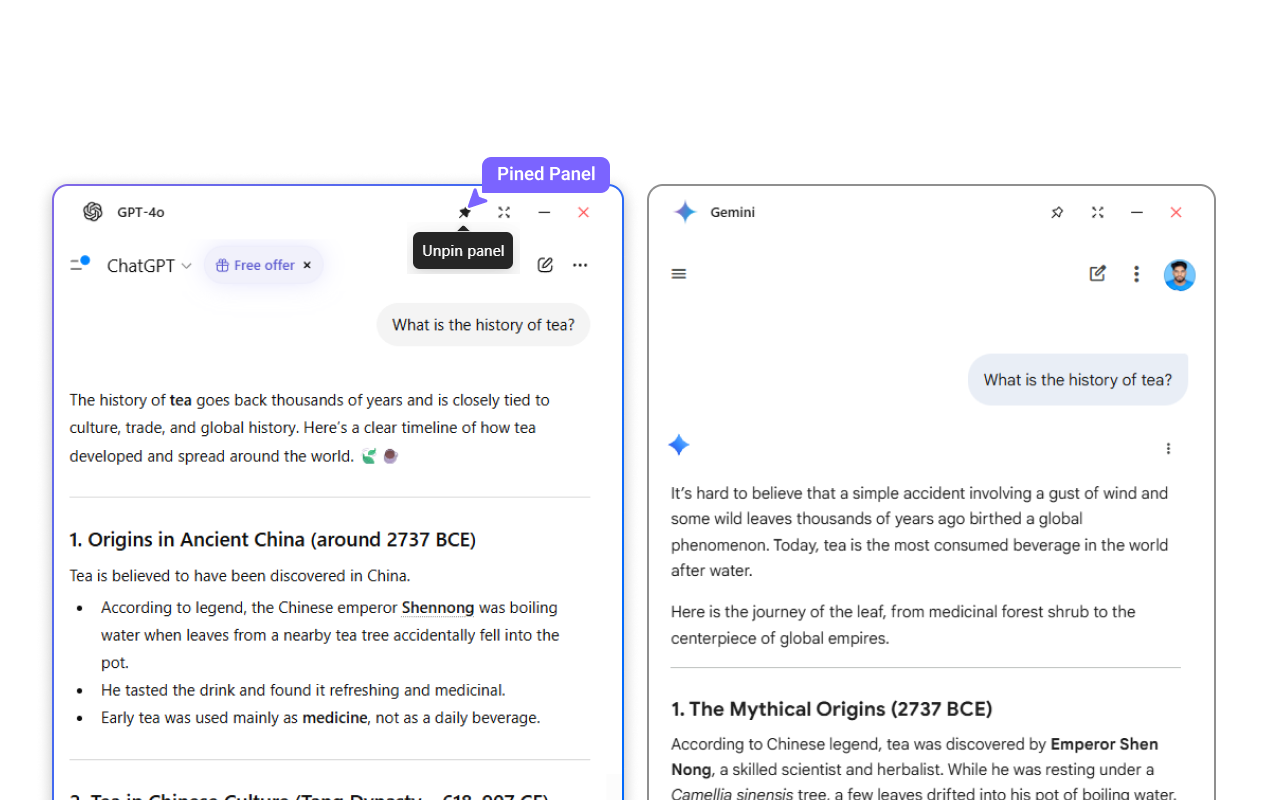
Pin LLM Window
Need your "main" AI to stay put? Use the Pin feature to fix a specific window (like ChatGPT or Gemini) in place. Pinned windows remain visible even when you switch layouts or scroll through other AI panels.
Plans that work for you

We provide scalable pricing models and volume discounts for all our enterprise customers. Here are the main advantages you'll receive as a valued enterprise customer:
- Priority phone support and one-on-one screen sharing if needed.
- Customization to fit your specific needs (if technically feasible).
- Get additional volume discounts with bulk orders.
Frequently Asked Questions
AI Grid currently supports ChatGPT, Gemini, Grok, Claude, Qwen, and Copilot.
AI Grid acts as a management layer. You can log into your existing accounts to access your specific subscriptions (like ChatGPT Plus or Claude Pro) directly within the interface.
Yes. AI Grid operates as a browser extension that interfaces with official AI web portals. We do not store your private chat data on our servers.
Privacy
At our core, we prioritize respect for your privacy by integrating robust privacy measures into all our products and processes to ensure the safety and security of the data you entrust to us. Our privacy and data protection program operates within the bounds of current data protection laws and aligns with your preferences as a customer.