How Mailtwig works?
Discover how our tools can streamline your email data extraction and analysis. Check out our tutorials and feature demonstrations.
Step 1
Install the MailTwig Chrome Extension from the Web Store.
Step 2
After installation, you’ll see the login popup.
Sign in with Google, then click the Export button visible in your Gmail interface to begin exporting your emails.
Step 3
Click Download to save your exported email data as Excel or CSV.
Quickly export emails to CSV/XLSX.
Easily export your emails to CSV or XLSX for analysis, backup, or record-keeping with the advanced filters to include only the emails you need.

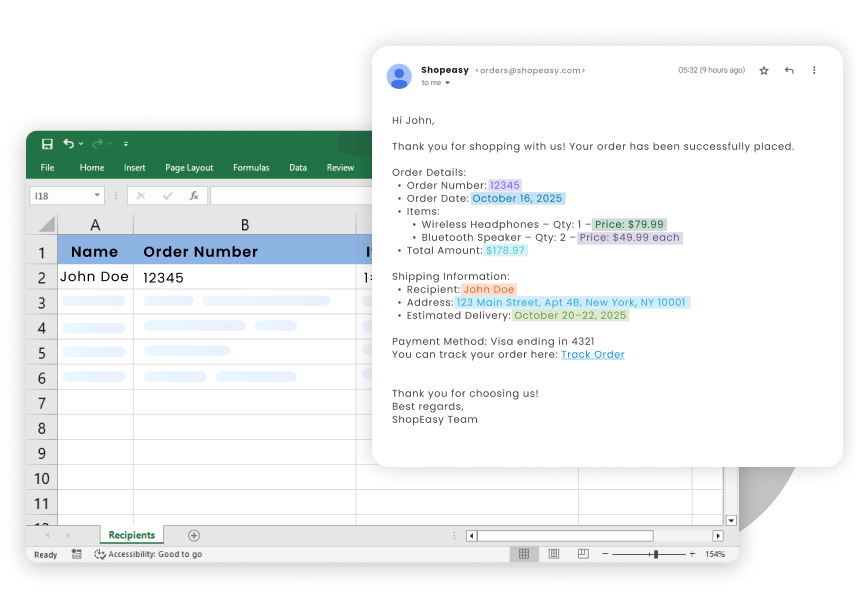
Extract key info from emails instantly
Intelligently extract emails, numbers, lists, and tables from any email using advanced AI. Set custom rules to ensure pinpoint accuracy for all your proprietary data requirements
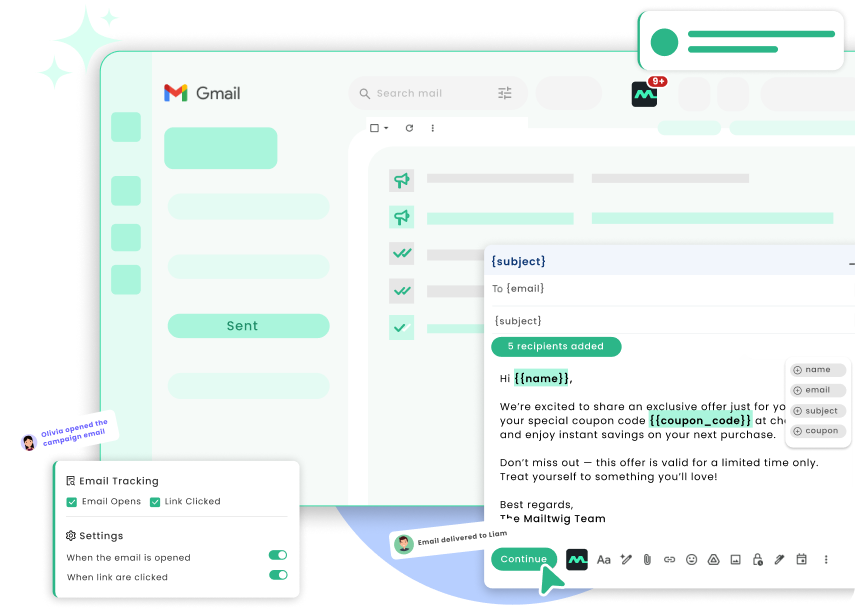
Send bulk emails that feel personal
Send highly personalized bulk emails without ever leaving Gmail interface, simplifying your entire outreach process. Ensure your campaigns land where they matter, boasting reliable deliverability with a 90% inbox success rate.

Plans that work for you

| Amount | Quantity |
|---|---|
| $0 | 250 |
We provide scalable pricing models and volume discounts for all our enterprise customers. Here are the main advantages you'll receive as a valued enterprise customer:
- Priority phone support and one-on-one screen sharing if needed.
- Customization to fit your specific needs (if technically feasible).
- Get additional volume discounts with bulk orders.
Privacy
At our core, we prioritize respect for your privacy by integrating robust privacy measures into all our products and processes to ensure the safety and security of the data you entrust to us. Our privacy and data protection program operates within the bounds of current data protection laws and aligns with your preferences as a customer.